


WARNING: ONLY update holding cabinets with the most CURRENT software versions on this website!
DO NOT install previous versions of software.
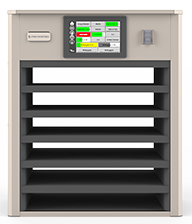
NOTE: This software is cabinet specific. Loading the INCORRECT software on the wrong cabinet configuration may affect the functionality of the cabinet. Do NOT load the software on the wrong cabinet configuration. If the incorrect software is loaded on the cabinet, re-load the correct software.
NOTE: This software should ONLY be loaded to a USB drive that is formatted to FAT32 through a PC or laptop. It should NOT be loaded through a tablet. The software files are in a compressed format and MUST be unzipped before copying files to a USB drive. See instructions below.
If you do not clearly understand any of the steps to download or unzip the software, or if you have any questions please call 1-800-551-8633 for assistance.
MAIN SOFTWARE - 6-ROW / DOUBLE-SIDED
UHCTHD6T 6-Row Double-Sided Only!! Software Files
MIRROR REAR ONLY SOFTWARE - 6-ROW / DOUBLE-SIDED
This software is ONLY to be loaded if the REAR controller displays a Configuration display and “System Error secondary UI NOT FOUND!” or “System Error Secondary UI communication loss” on the FRONT controller. This software should ONLY be loaded using the USB connection on the back of REAR CONTROLLER ONLY!!!!! Instructions for loading the REAR ONLY MIRROR files are at the link below.
UHCTHD6T 6-Row Double-Sided MIRROR Only!! Software Files
MAIN SOFTWARE - 6-ROW / SINGLE-SIDED
UHCTHD6T 6-Row Single-Sided Only!! Software Files
MAIN SOFTWARE - 3-ROW / DOUBLE-SIDED
UHCTHD3T 3-Row Double-Sided Only!! Software Files
MIRROR REAR ONLY SOFTWARE - 3-ROW / DOUBLE-SIDED
This software is ONLY to be loaded if the REAR controller displays a Configuration display and “System Error secondary UI NOT FOUND!” or “System Error Secondary UI communication loss” on the FRONT controller. This software should ONLY be loaded using the USB connection on the back of REAR CONTROLLER ONLY!!!!! Instructions for loading the REAR ONLY MIRROR files are at the link below.
UHCTHD6T 3-Row Double-Sided MIRROR Only!! Software Files
MAIN SOFTWARE - 3-ROW / SINGLE-SIDED
UHCTHD3T 3-Row Single Sided Only!! Software Files
MENU FILES
Menu files for McDonald's UHCTHD cabinets ONLY need to be reloaded when they have become corrupt or to overwrite existing menu files. Loading menu files will overwrite all menus and will erase any hand entered products. They DO NOT need to be loaded each time a software update is performed.
If you do not clearly understand any of the steps to download or unzip the software, or if you have any questions please call 1-800-551-8633 for assistance.
This software is ONLY to correct missing South Korean, Chinese and Japanese languages on UHCTHD's with serial # starting with 2604 or later.
LMUPSW
Unzipping Software Instructions - How to unzip and copy files to USB
Software Update Instructions - How to load the missing language ONLY software to the UHCTHD cabinet